
Your credit card gets flagged for fraud. The bank sends a replacement. You reconnect it in your budgeting app. Now you have months of duplicate transactions — every charge appearing twice. You're supposed to notice this yourself, find the duplicates, and clean them up manually.
Most apps just... leave you to deal with it. Curl Budget catches it for you.
| Curl Budget | Monarch Money | YNAB | Copilot | Lunch Money | |
|---|---|---|---|---|---|
| Detects duplicate accounts automatically | Yes | No | No | No | No |
| Proactively alerts you | Yes | No | No | No | No |
| Auto-hides duplicates on future syncs | Yes | No | No | No | No |
| Fully reversible | Yes | No | N/A | N/A | No |
| Unique transactions preserved | Yes | Manual | N/A | N/A | Manual |
How Curl Budget Handles It
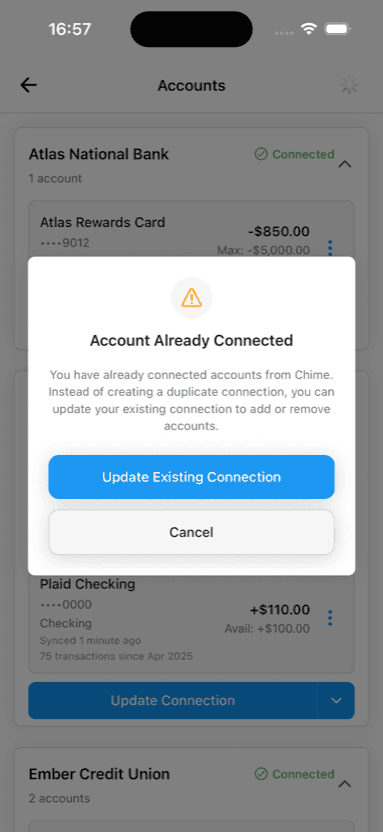
When you connect a bank account, Curl Budget checks whether it matches an account you've already connected. If it finds a match — and your transactions confirm the overlap — it tells you immediately. A couple of taps and the duplicates are gone.
Automatic detection
Compares account numbers and transaction histories to identify when two connections point to the same bank account.
Stays clean automatically
Once confirmed, every future sync automatically hides new duplicates. You don't think about it again.
Fully reversible
Un-linking restores everything instantly. No data is deleted — we just stop hiding the copies.
Unique transactions preserved
Unique transactions mixed in with duplicates stay visible. Nothing is silently dropped.
Just Works
Reconnecting a bank account should be a 30-second task, not the start of an hour-long cleanup project. We think this kind of thing should just work.
Try Curl Budget Free for 30 Days
Automatic duplicate detection is just one of the details we handle so you don't have to.