
You saw a charge yesterday. You categorized it, maybe assigned it to a budget. Today it's gone — and you have no way to tell whether it cleared, was disputed, or just vanished from a sync glitch.
This is more common than people realize. Banks and data providers (Plaid, Apple FinanceKit) routinely remove transactions after they've already synced, for any number of legitimate reasons:
- Pending charges that never finalize — gas station pre-authorizations, hotel holds, canceled orders.
- Merchant adjustments — a tip is added after the fact, and the bank removes the original auth in favor of a new posted charge.
- Bank corrections — duplicate postings get cleaned up, merchant names get fixed.
- Sync hiccups — a connection blips and a transaction briefly disappears before coming back.
Most of these are benign — but occasionally they are not. And users want control and confidence over their own financial history. Transactions silently disappearing undermines both.
How Most Apps Handle It
The default approach is silent deletion: if the upstream feed says a transaction no longer exists, the app removes it from your list. No notification, no record, no chance to push back.
This is the path of least resistance, and the one users frequently complain about on other budgeting apps. The threads follow a familiar pattern — "where did my transactions go?" — the user remembers the charge, sees a gap in their history, and has no way to know whether it cleared, was disputed, or simply slipped through a sync.
Worse: any categorization, notes, tags, or budget work you put into that transaction disappears with it.
Curl Budget's Approach: Show, Don't Delete
When your provider removes a transaction, Curl Budget marks it as provider-removed and surfaces it for review. The transaction stays visible — with everything you'd done to it intact — until you decide what to do.
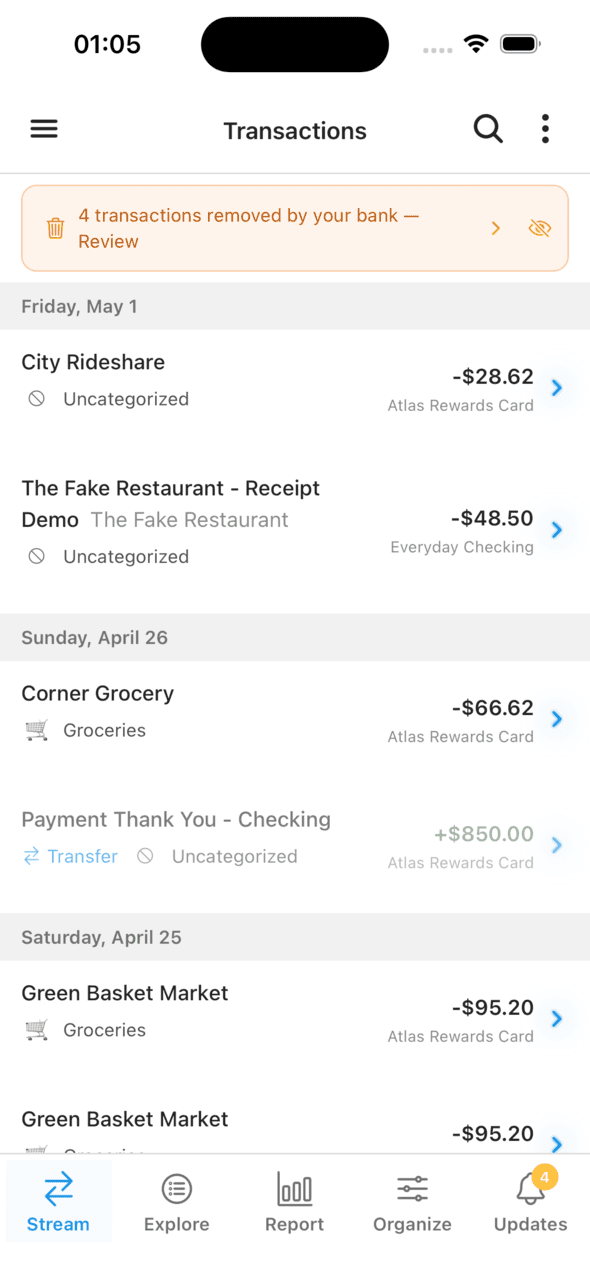
A persistent banner surfaces every removal for review
Tap the banner and the list filters down to the affected transactions. Each one keeps its original details and gets a "Removed by bank" badge so the status is unambiguous.
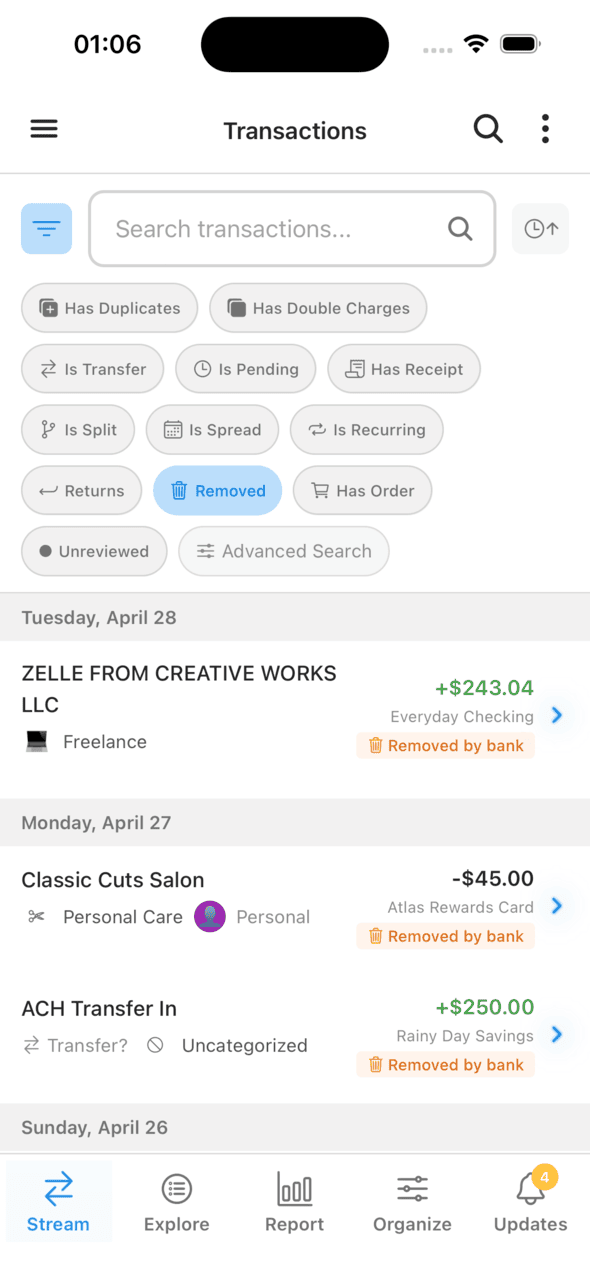
Removed transactions stay visible with categorization and history intact
For each one, two clear actions:
Keep it
Restores the transaction. The right call when removal looks like a sync glitch, or when you want to preserve the record for reconciliation.
Confirm removal
Deletes the transaction permanently. The right call once you've verified the removal is legitimate (the pending posted, the dispute resolved, the duplicate got cleaned up).
Smart Matching for the Common Case
Most provider removals have a benign explanation: the removed transaction was replaced by another one on the same account. Two flavors of this come up routinely:
- A pending charge that was later finalized as a posted transaction (the classic Plaid case).
- A posted charge that was removed and replaced by another posted charge — common on Apple Card, which doesn't really use the pending state. There the removed twin and its replacement are both "posted" rows, so Curl requires an exact match (same calendar date, identical description, identical amount) to be sure they're the same transaction.
When Curl detects either case, the review surfaces the match:
On a removed pending transaction
"Likely posted as: Whole Foods — $84.12"
Tap to jump to the replacement and verify in a single step. To keep the queue tidy, Curl hides removed transactions with a clear posted twin by default. Brand-new pending removals (under three days old) are also held back briefly to give the posted equivalent time to arrive; posted-removed entries surface immediately because there's no lifecycle to wait on. Both behaviors are tunable.
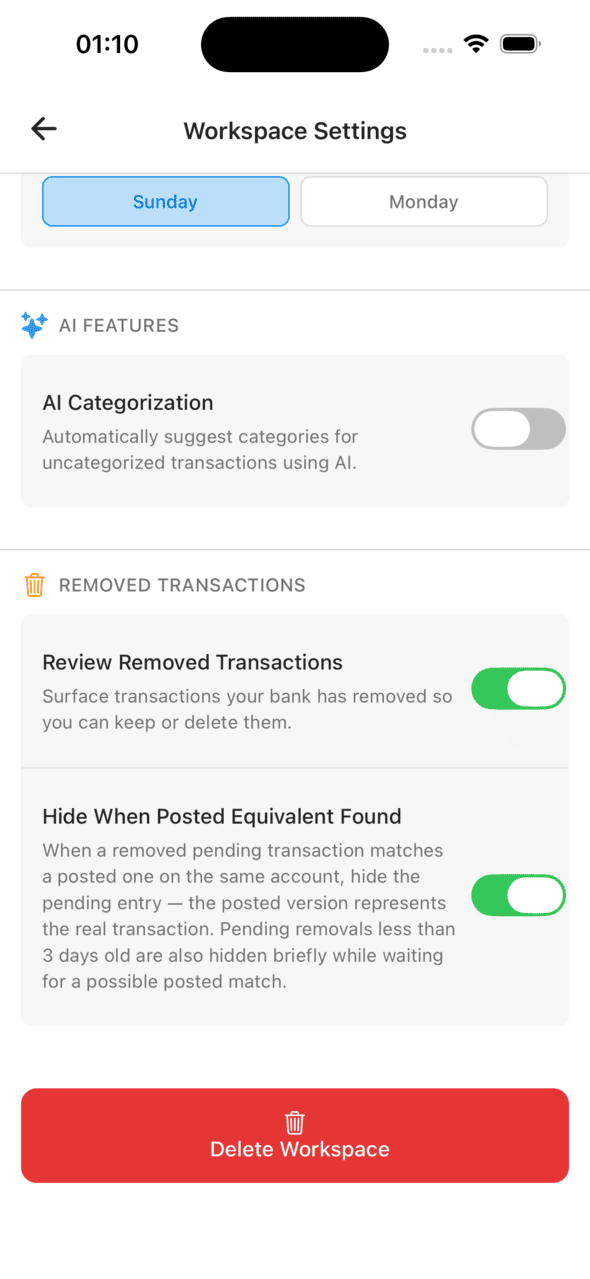
Workspace settings — turn the review off entirely, or just hide auto-matched pendings
Why It Matters
A budget you can't fully audit is a budget you can't fully trust. Three real situations where the visible review earns its keep:
- Reconciliation. Bank statement doesn't match your budget total? The removed list tells you exactly what changed.
- Dispute tracking. You disputed a charge and want to confirm it was actually removed? The record is still there to verify.
- Sync confidence. Remembered a charge, can't find it now? You can check whether it was a real removal or a connection hiccup — and restore it if needed.
Why We Did This
Most apps default to "trust the upstream feed" because it's simpler. We picked the harder path because financial data should be auditable by the person whose finances it represents — not by the data provider in the middle. When something changes, you should know about it.
Removed-transaction review is on by default in every Curl Budget workspace. If you want a quieter view (or a more aggressive one), the workspace settings let you tune the behavior end to end.
Try Curl Budget Free for 30 Days
A complete, auditable transaction history is one of the details we sweat so you don't have to.