Balance History
Every account has a Balance History — a record of what it was worth at different points in time, plotted as a chart. It's the per-account companion to the Net Worth Over Time report: where net worth sums everything together, Balance History zooms in on one account.
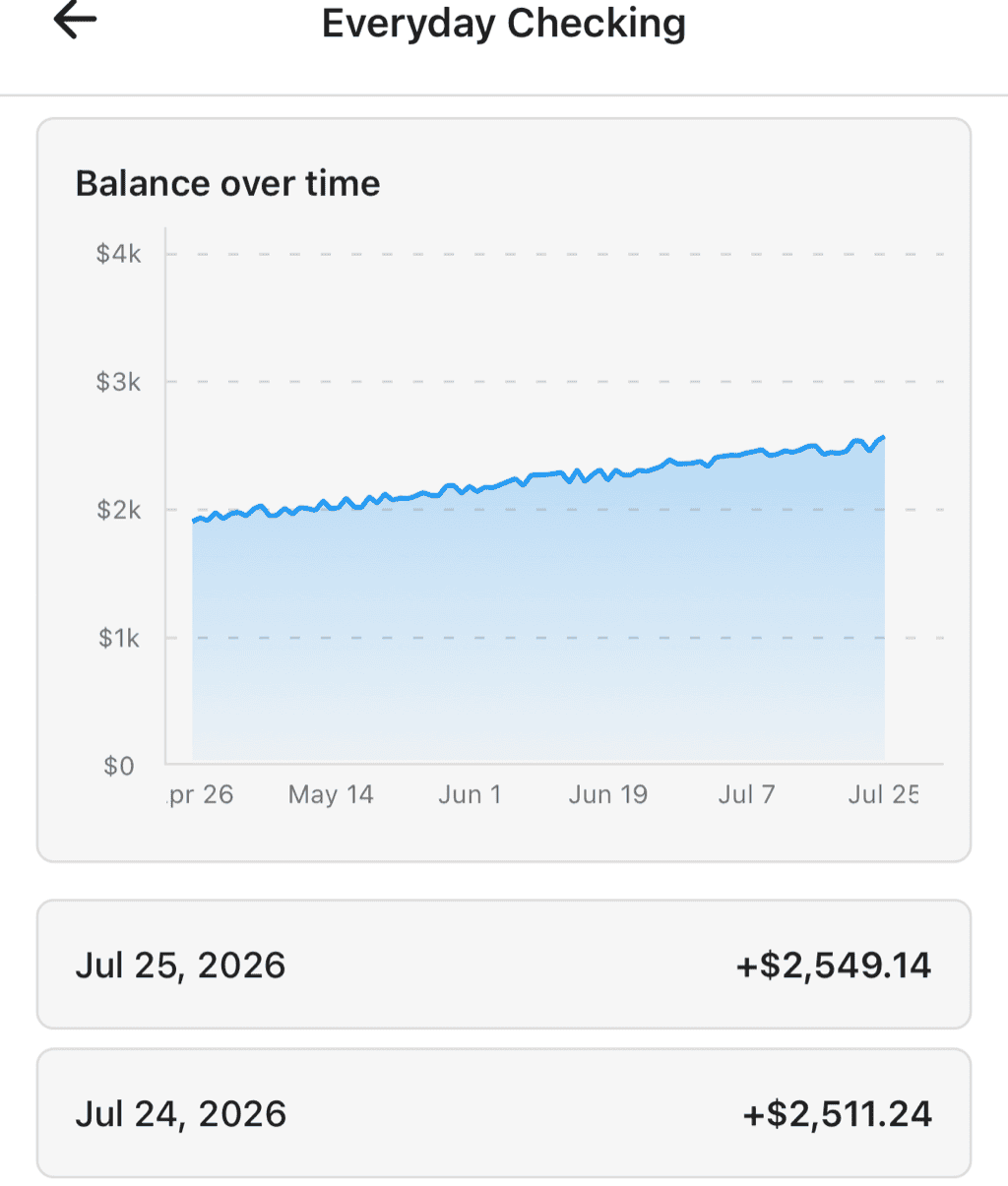
An account's balance over time, with each recorded balance listed below
Opening Balance History
From an account's action menu, choose Balance History. The screen is titled with the account's name and shows:
- A Balance over time chart at the top (it appears once there are at least two recorded balances)
- A list of every recorded balance below, newest first, each with its date and amount
Where Balances Come From
How the history is populated depends on the account type:
Connected Accounts (Bank, Apple)
Connected accounts capture balance snapshots automatically every time they sync — you don't record anything by hand, and the entries are read-only. If an account hasn't recorded any yet, the screen explains: "Balance snapshots for this account are captured automatically when it syncs. None have been recorded yet."
Manual Accounts
For manual accounts, you record balances yourself, which is how you track the value of assets Curl Budget can't sync (a car, a property, a cash stash). When there's no history yet, the screen invites you to "Track your account balance over time by adding balance entries. These will appear in your net worth chart."
Crypto Wallets
Crypto addresses have their own value chart on the address detail screen, plotting the address's USD value over time as it syncs on-chain.
Recording a Balance (Manual Accounts)
On a manual account's Balance History screen:
- Tap the + button in the top bar
- In the Add Balance dialog, enter the Balance and the Date
- Tap Save
Balances can be negative — useful for accounts that represent something you owe.
Editing and Deleting
Each entry in the list has its own menu:
- Edit opens the same dialog (now titled Edit Balance) with the values pre-filled
- Delete removes the entry after a confirmation prompt
As you add, edit, and delete entries, the Balance over time chart updates to match, and the changes flow through to your net worth.
How It Feeds Net Worth
Recorded balances aren't just for this screen — every entry becomes a data point in the Net Worth Over Time report. Keeping a manual account's balance up to date is what keeps your overall net worth accurate.
Related Features
- Net Worth Over Time — Your total across all accounts
- Manual Accounts — Accounts whose balances you record yourself
- Crypto Wallets — On-chain balances and their USD value history
- Plaid Integration — How connected accounts sync