Crypto Wallets
Track the value of your cryptocurrency wallets alongside your traditional financial accounts. Curl Budget monitors your wallet addresses on-chain, fetching balances and exchange rates automatically — no exchange login or API keys required.
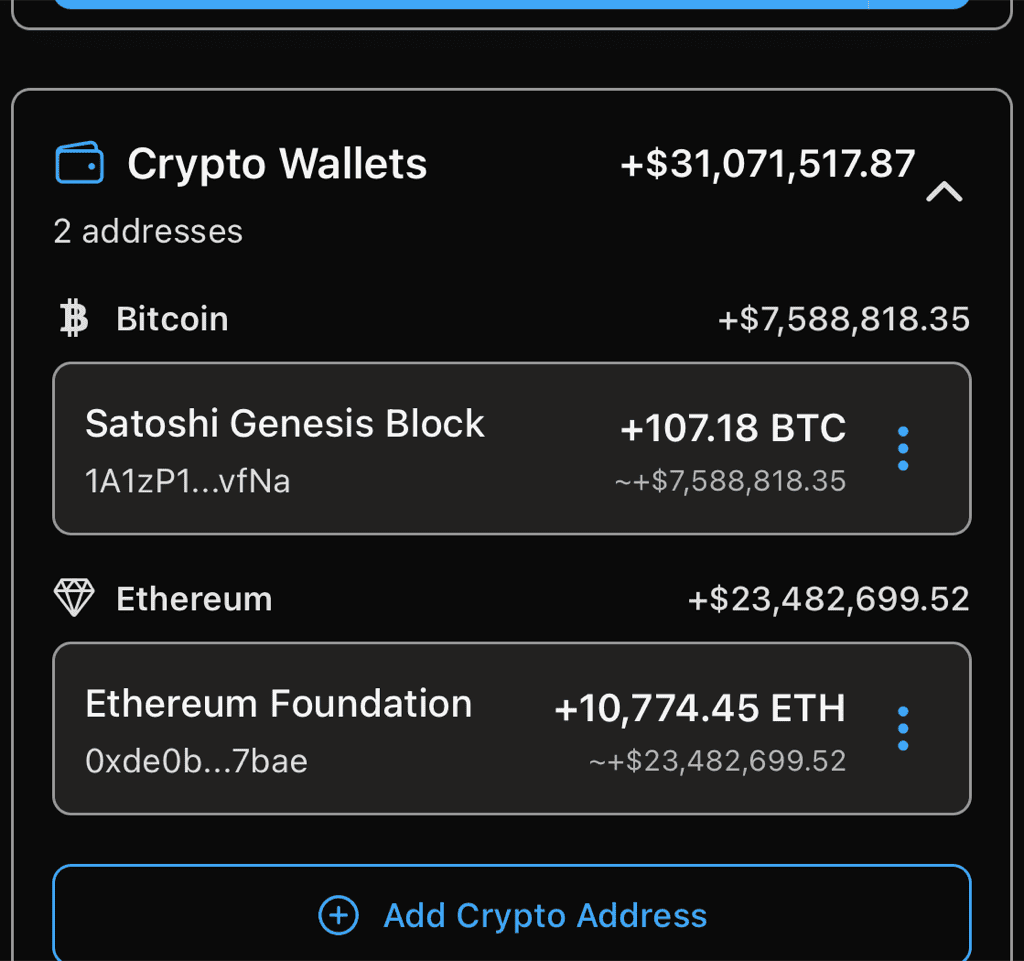
Bitcoin and Ethereum wallets with live on-chain balances and USD values
Supported Blockchains
- Bitcoin — Legacy (1..., 3...) and SegWit (bc1...) addresses
- Ethereum — Standard addresses (0x...)
- Solana — All mainnet addresses
Adding a Wallet
From the Accounts screen, tap the + button and select Track Crypto Wallet.
- Paste or scan your wallet address — the blockchain is detected automatically from the address format
- Add a label to identify the wallet (e.g., "Cold Storage", "Main ETH")
- For Ethereum and Solana, optionally mark it as a staking address to track staking rewards via balance growth
You can also scan a QR code using the camera icon next to the address field. Standard crypto URI formats (bitcoin:, ethereum:, solana:) are supported.
What Gets Tracked
Balance and USD Value
Curl Budget checks your wallet balance every few hours and converts it to USD using current exchange rates. You'll see:
- Current balance in native units (BTC, ETH, SOL)
- Current USD value based on the latest exchange rate
- A value history chart showing how your wallet's USD value changes day by day
On-Demand Sync
Tap the three-dot menu on any wallet and select Sync Now to refresh the balance immediately. This is rate-limited to prevent overloading the blockchain APIs.
Limits
| Limit | Value |
|---|---|
| Wallets per workspace | 10 |
| Automatic balance check | Every 4 hours |
| On-demand sync cooldown | 15 minutes per wallet |
Managing Wallets
From the three-dot menu on each wallet, you can:
- View Details — see balance history chart and recent activity
- Edit Label — rename the wallet
- Sync Now — refresh the balance immediately
- Remove Address — stop monitoring this wallet (removes all history)
Privacy
Curl Budget only reads public blockchain data using your wallet's public address. We never have access to your private keys, seed phrases, or the ability to move funds. Wallet addresses are stored in your workspace and not shared with other users unless they are members of your workspace.
Coming Soon
- Transfer notifications — get alerted when funds move in or out of your wallets
- ZCash support — transparent address monitoring
- Exchange accounts — connect Coinbase and other exchanges via Plaid